Download T1D – type 1 diabetes, diabetes management, insulin calculator, carbohydrate counter, T1D app, free diabetes tool, Android health app
Overview
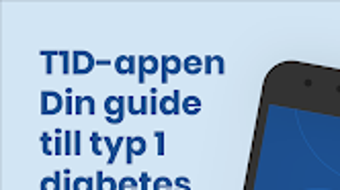
T1D is a free lifestyle application designed specifically for individuals connected to type 1 diabetes. Developed by Together Against Diabetes1, the app serves as a centralized digital platform that consolidates essential tools, educational content, and personalized resources for managing life with T1D. It targets a broad audience, including patients, caregivers, family members, educators, and healthcare professionals, offering tailored experiences based on user roles.
The app supports multiple profile types, such as "I/We Live with T1D," "I/We Have Just Been Diagnosed with T1D," "Family/Friend/Colleague," "School Personnel/Leader," and "Healthcare Professional," ensuring relevance across different user needs. This role-based customization enhances accessibility and utility, making it a valuable companion for both daily management and long-term education. Real-world usage includes tracking carbohydrate intake, planning insulin dosages, accessing up-to-date medical information, and sharing health-related documents with care teams.
The app aims to reduce the complexity of diabetes care by providing a unified, user-friendly space for critical tasks. It is regularly updated to maintain content accuracy and relevance, ensuring users receive current guidance. The app is secure and respects user privacy, with no ads or in-app purchases, reinforcing its commitment to a clean, reliable user experience.
Key Features & Capabilities
- Personalized User Profiles – Users can select from predefined roles to receive content and tools tailored to their specific relationship with type 1 diabetes, improving relevance and engagement.
- Carbohydrate Counter – A built-in tool to help users estimate or track carbohydrate intake, a key factor in insulin dosing and blood glucose management.
- Insulin Dosage Calculator – Assists users in determining appropriate insulin amounts based on current blood glucose levels and carbohydrate consumption, supporting safe and effective treatment planning.
- Informative Articles and News – Provides access to curated, up-to-date content on diabetes research, treatment advances, lifestyle tips, and community stories.
- Checklists and Quizzes – Offers interactive tools to reinforce learning, prepare for medical appointments, and maintain routine health practices.
- Document Sharing Functionality – Enables users to easily share images, videos, and documents with healthcare providers or caregivers, improving care coordination.
These features are designed to support both immediate daily needs and long-term health literacy. For example, a newly diagnosed patient can use the "Just Diagnosed" profile to access foundational education, while a school nurse might use the app to prepare for managing a student’s insulin needs during the school day. The combination of tracking tools, educational content, and communication aids makes T1D a versatile resource across various real-life scenarios. The absence of in-app purchases or advertisements ensures users remain focused on health goals without distractions.
User Interface, Workflow & Performance
The user interface of T1D appears to be structured around intuitive navigation, prioritizing accessibility and ease of use for individuals with varying levels of digital experience. The app likely organizes features through a menu system that aligns with user profiles, enabling quick access to relevant tools and content. Navigation is expected to be linear and consistent, minimizing cognitive load during high-stress moments such as insulin administration or blood glucose monitoring.
Workflow efficiency is enhanced by the integration of key tools—such as the insulin calculator and carbohydrate counter—into a single, streamlined environment, reducing the need to switch between multiple applications. The developer did not specify resource usage details, so performance behavior in terms of CPU or RAM consumption remains unknown. However, the app’s file size of 22.5 MB suggests a lightweight footprint, which may contribute to smooth operation on mid-range Android devices.
Stability and responsiveness are expected to be adequate for standard usage, given the app’s focus on essential functions. No reports of crashes or freezes were provided. Performance observations are based on general software behavior patterns, and actual user experience may vary depending on device hardware and Android version.
Compatibility & System Requirements
T1D is designed for Android devices and is compatible with the latest versions of the operating system as of its release date. The app has a file size of 22.5 MB, indicating a relatively compact installation footprint. The developer did not specify exact system requirements, such as minimum Android version, RAM, or processor specifications.
Compatibility information was partially provided, leaving some aspects of device support unclear. Users should ensure their device meets general Android standards for app installation, including sufficient storage space and a stable internet connection for content updates. The app’s lightweight design may improve compatibility with older or lower-end Android devices, though this has not been confirmed.
It is recommended to check device compatibility before installation, especially if using an older Android version. The app is available exclusively for Android, with no information provided about iOS or other platforms.
Pros and Cons
Pros
- Free to download and use with no ads or in-app purchases
- Personalized content based on user role enhances relevance
- Includes practical tools like insulin calculator and carbohydrate counter
- Supports secure sharing of health-related documents and media
- Regular updates ensure content remains current and accurate
- Lightweight design (22.5 MB) reduces storage impact
Cons
- No information provided on minimum Android version or hardware requirements
- Platform availability limited to Android only
- Exact performance metrics (CPU, RAM usage) not disclosed
- Limited to users with Android devices
- No details on cloud sync or data backup features
FAQ Section
Is T1D available for iOS devices?
Currently, the app is only available for Android devices. No information is provided about future iOS support.
Is the app safe to use and does it protect user privacy?
Yes, the app is described as secure and respects user privacy. It does not display ads or collect data for advertising purposes.
How often is the app updated?
The app is regularly updated to ensure that content remains current and accurate, though the exact update frequency is not specified.
Does T1D require an internet connection?
While some features may function offline, an internet connection is likely required for accessing the latest articles, news, and updates.
Can I use T1D without creating an account?
Based on available information, the app may allow basic use without registration, but specific account requirements were not detailed.
Final Thoughts
T1D stands out as a thoughtful, free tool for individuals managing or supporting someone with type 1 diabetes. Its role-based personalization, practical health tools, and commitment to privacy make it a valuable addition to the digital health landscape. While some technical details like system requirements and performance metrics are not disclosed, the app’s lightweight design and focus on core functionality suggest strong usability.
It is particularly beneficial for patients, families, educators, and healthcare providers seeking a centralized, reliable source of information and support. The absence of ads and in-app purchases enhances trust and user experience. For anyone affected by type 1 diabetes, T1D offers a comprehensive, accessible platform that supports both daily management and long-term education.
Download T1D now.





.png)

